Everything you want to watch, and where to watch it.
Save any film or show to one list, then see exactly where it's streaming in your country. Free, with no ads.
- iPhone, iPad & Android
- US & UK
- Free, no ads
Save any film or show to one list, then see exactly where it's streaming in your country. Free, with no ads.
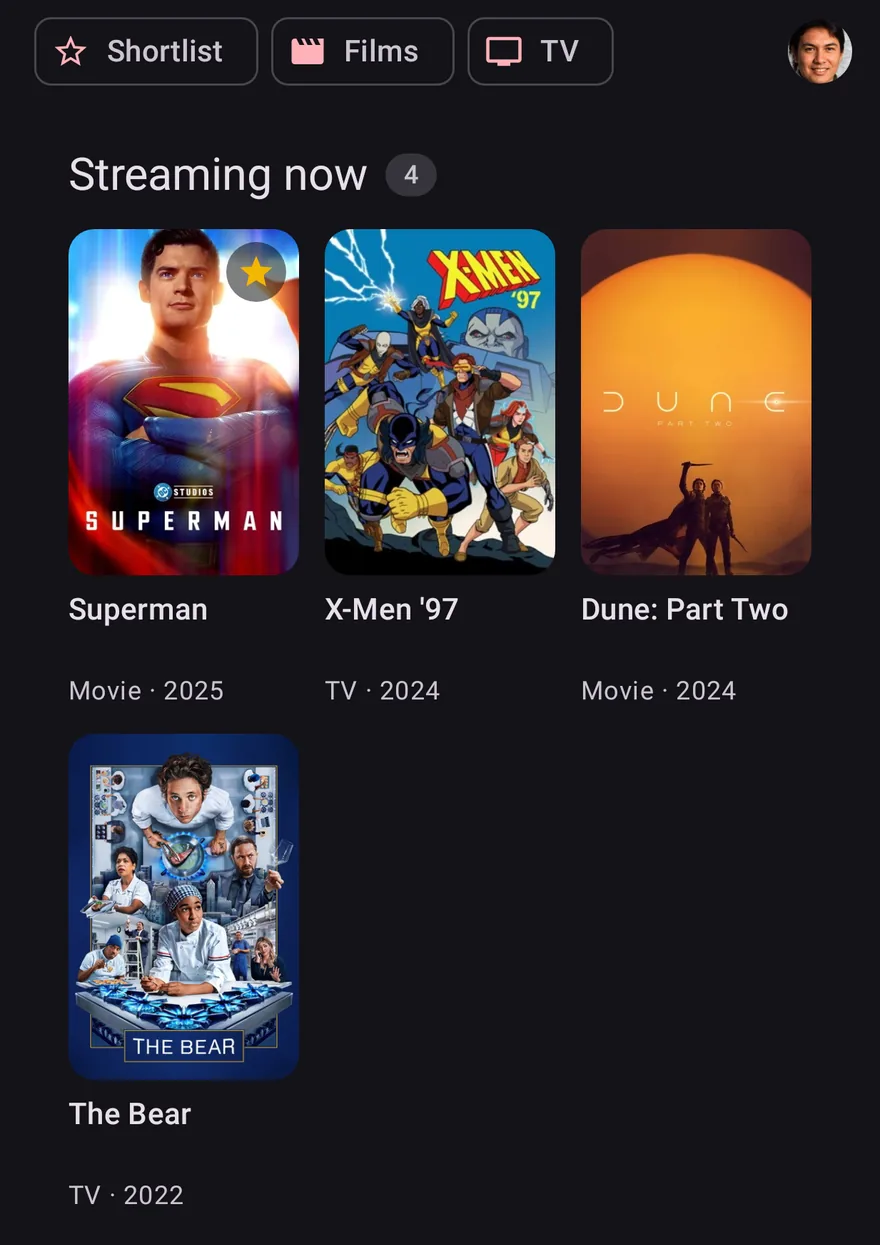
Built separately for iPhone and for Android, so each one feels at home. Give it more room and it uses it.
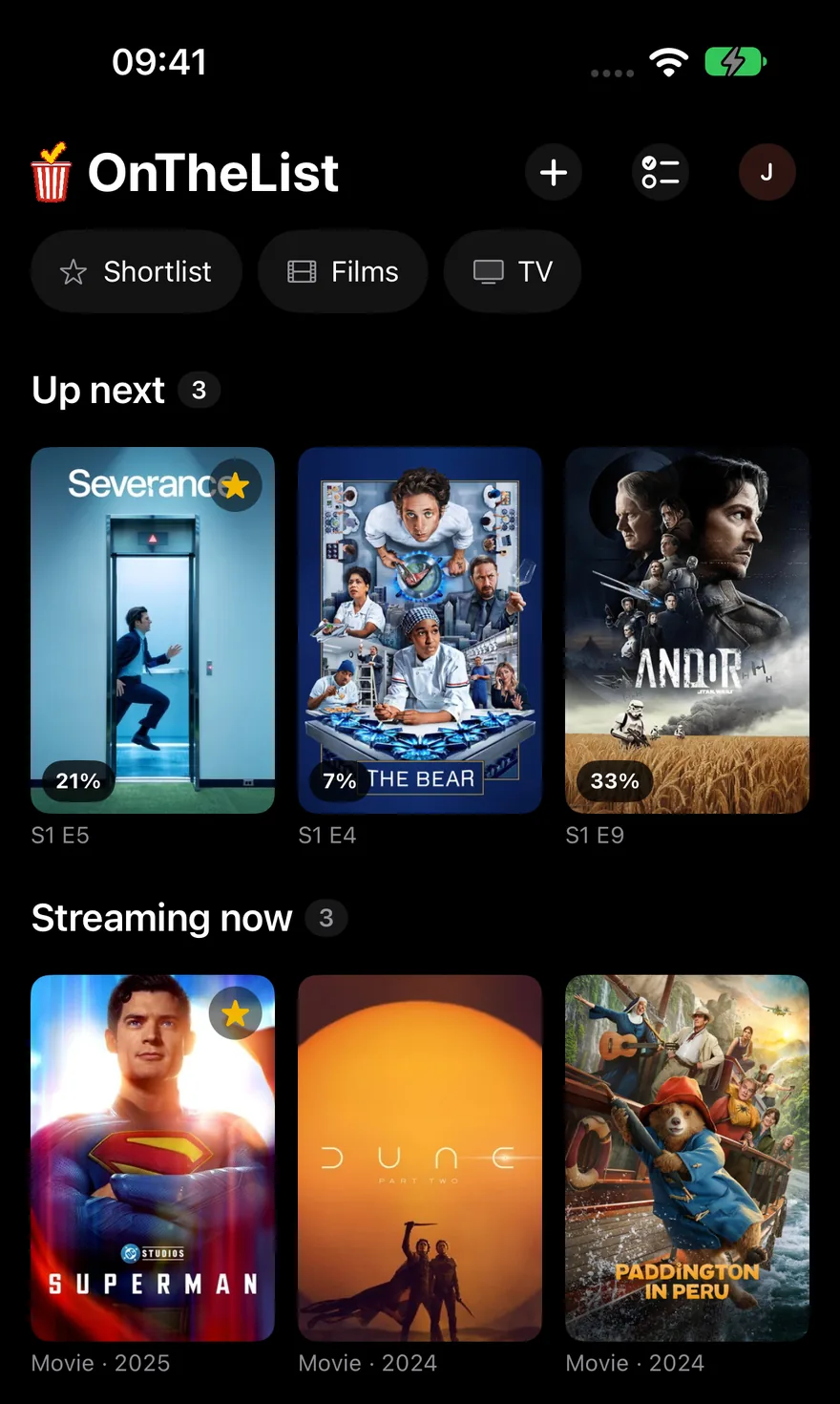
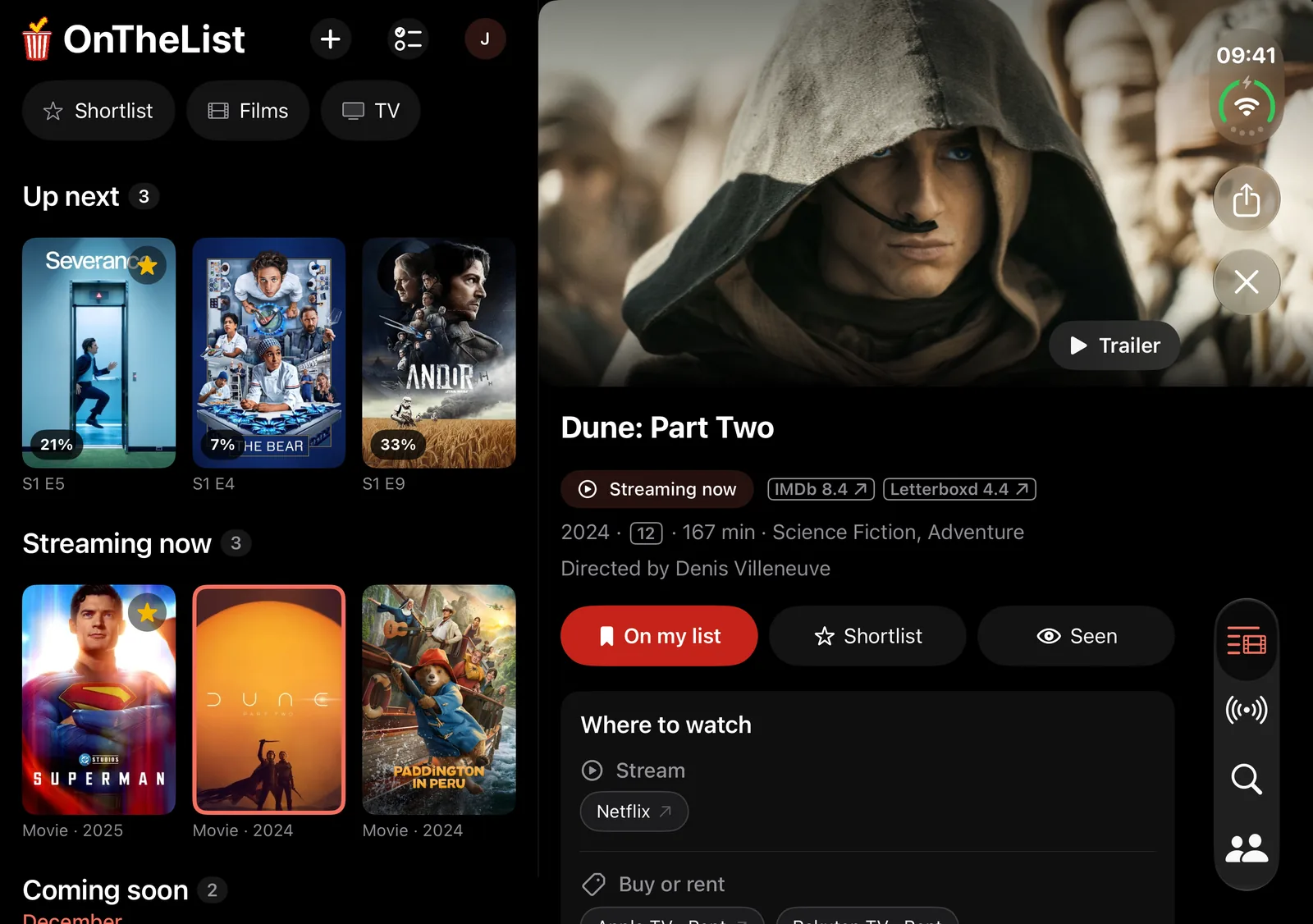
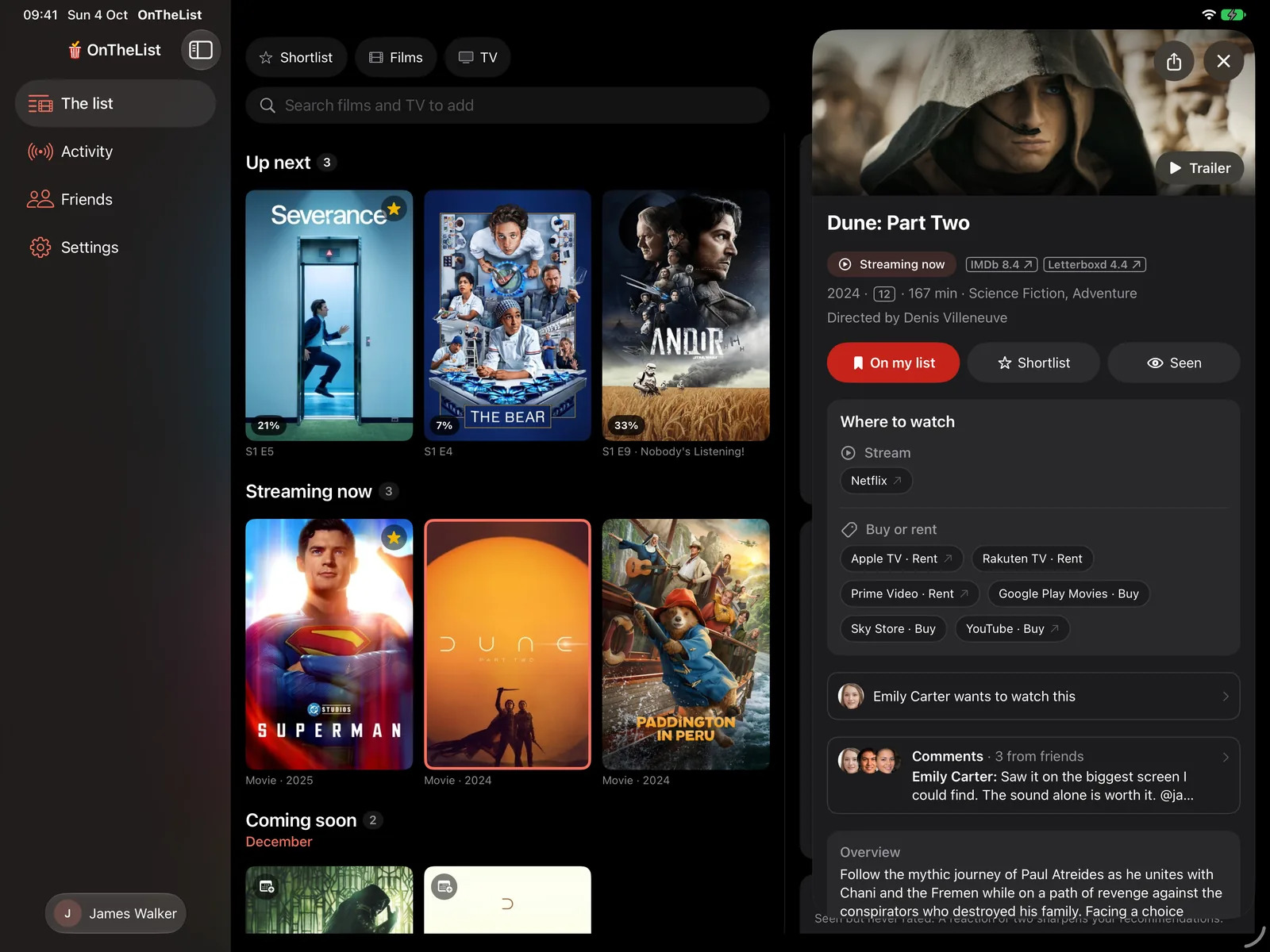
Widgets, Spotlight, Siri and quick actions on iPhone. Keyboard shortcuts on iPad. Ready for iPhone Duo.
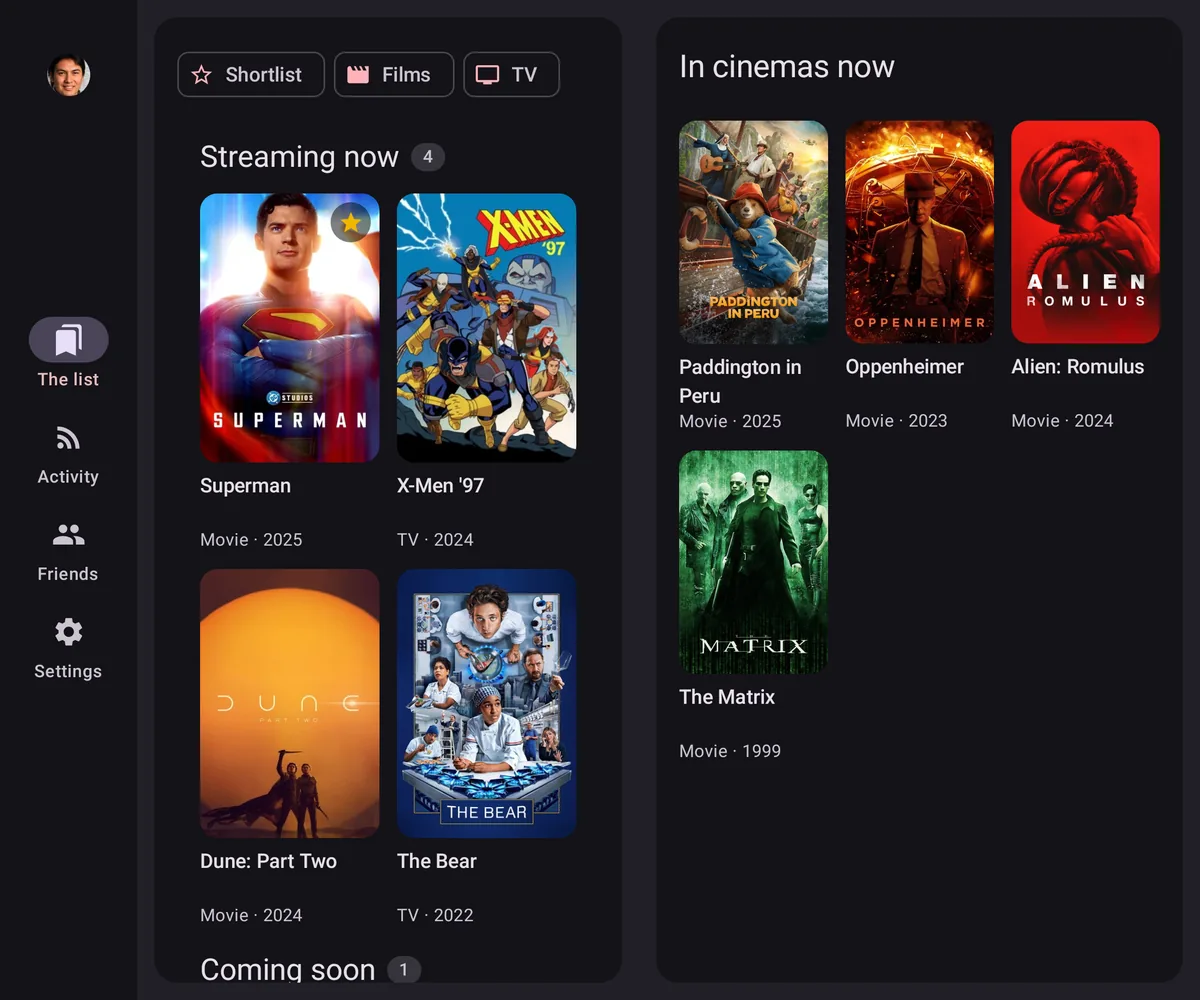
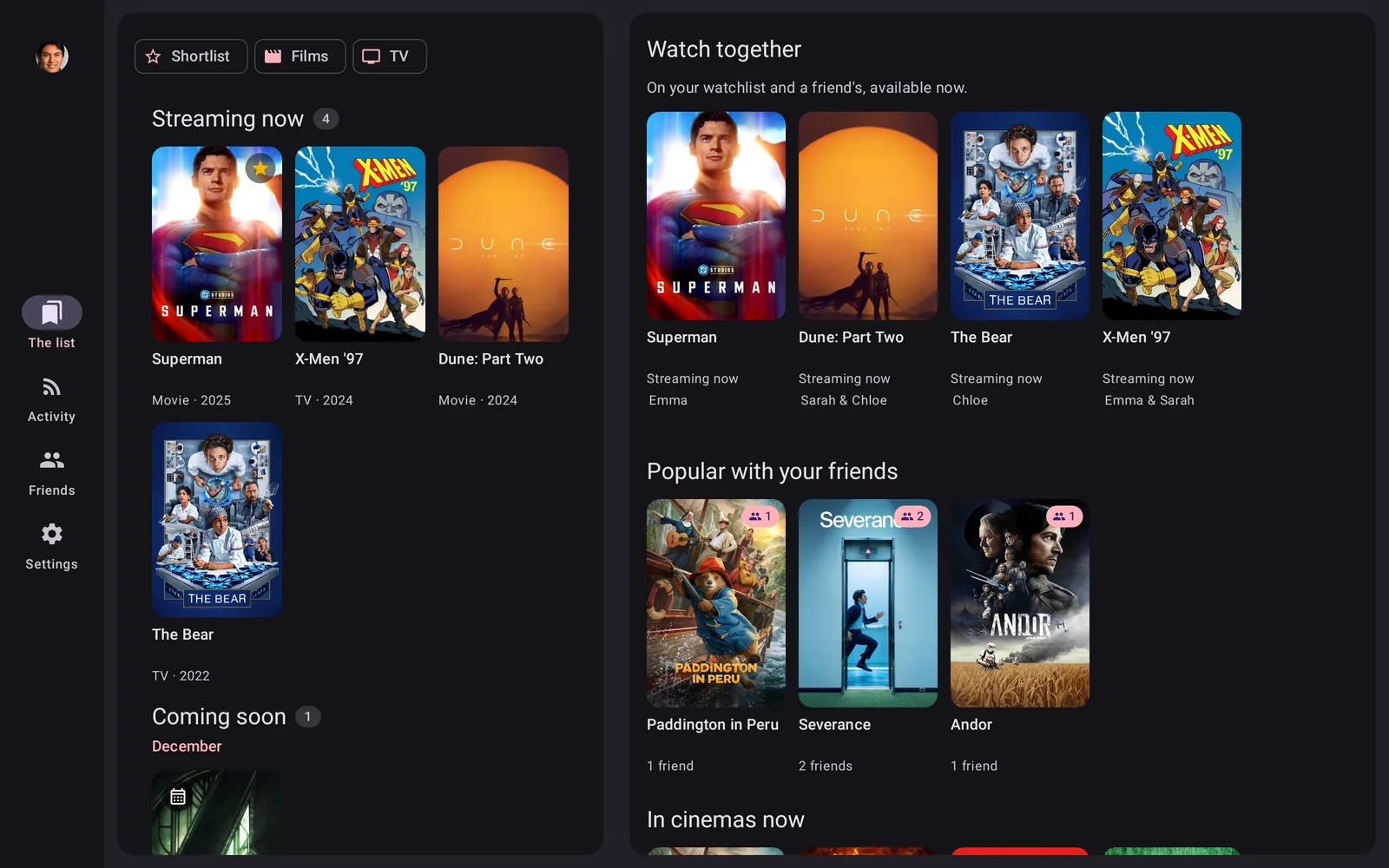
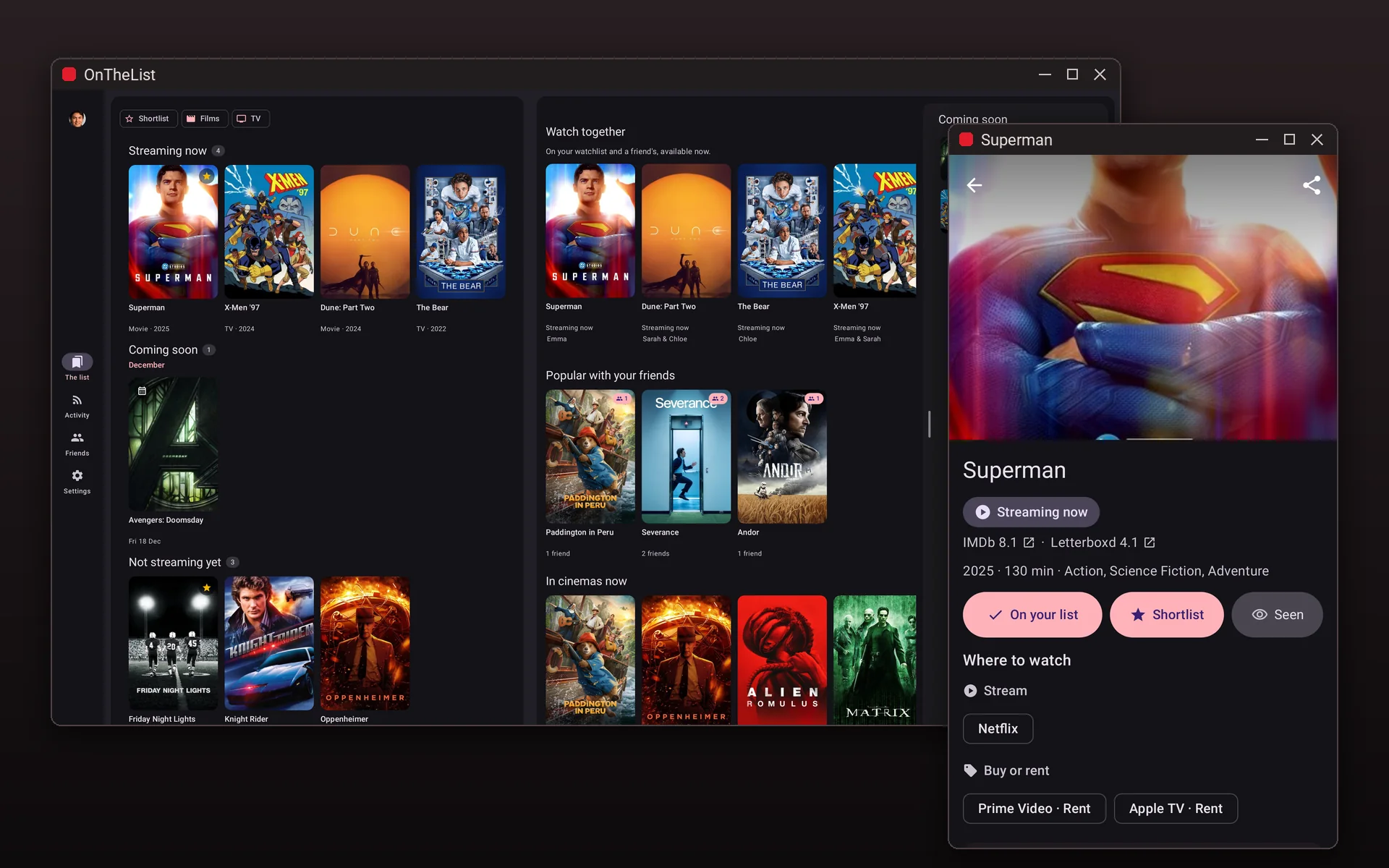
Widgets that tick off your next episode. On Googlebooks, Chromebooks and Samsung DeX: keyboard shortcuts, drag and drop, and multiple windows.
No more jumping between streaming apps or forgetting a recommendation. Your list sorts itself into Up next, In cinemas, Streaming now and Coming soon, so you always see what you can watch tonight.

Every title shows which services have it in your country, with streaming, rent and buy kept apart. Tap a service to open its app, straight on the title when there is a direct link.
Tick off episodes as you watch and OnTheList keeps your place. Up next gathers the next episode of every show you are part-way through, and an alert tells you when a new one is out.


Add friends by username, a private link or a QR code. Watch together shows what you both want that you can watch now. Comment on any film, show or episode, and follow what friends watch and say in Activity. Your list stays private until you add someone.
Seen is a page of its own. Mark what you have watched, say whether you loved it, liked it or it was not for you, and look back month by month.


Moving from another app? Bring in your watchlist, what you have seen, your ratings and your episode progress from Letterboxd, Trakt, TV Time, Simkl, BetaSeries or Refract, or paste a list from anywhere. Changed your mind? Undo takes it all back out.
Your list, on the big screen.
Yes. Free to download and use, with no ads and no subscription.
The United States and the United Kingdom. Your region is detected automatically, and streaming availability, cinema listings and wording are tailored to your country. You can switch between the US and UK any time in your profile.
iPhone and iPad on iOS 17 or newer, including iPhone Duo, and Android phones, foldables and tablets on Android 8.0 or newer. On Googlebooks, Chromebooks and Samsung DeX it runs in a resizable window.
Yes. On tablets and open foldables, your list sits beside what to watch, and a title slides in while your list stays put. On Googlebooks, Chromebooks and Samsung DeX, it opens in a resizable window with your list, tonight's picks and what's coming next side by side. There, a title can also open in its own window, and a keyboard and mouse work throughout.
Yes. Your list lives with your account, not your handset, so you can switch platforms and keep everything. Friends, shared lists and the Watch together view all work across iPhone, iPad and Android, so it makes no difference which one you or your friends are on.
They are good apps, and each one does its own job well. JustWatch is the go-to guide to which service has what, and we use its data ourselves. Letterboxd is where many film fans log, rate and review what they watch. Trakt tracks everything you watch, even automatically from a media centre. OnTheList does a simpler job: one list of films and shows, sorted by what you can watch tonight, and shared with the people you watch with. If you already use one of them, you can bring your history across.
Where-to-watch data is powered by JustWatch and the Streaming Availability API by Movie of the Night, and titles, artwork and details come from The Movie Database (TMDB). OnTheList shows where a title streams, rents or is in cinemas in your country.
Add friends by username or a private link. The Watch together view highlights the titles on both your lists that you can both stream now. Your lists are private by default and you can revoke sharing at any time.
Yes. Your lists are private by default, so nothing is shared until you choose to, and you decide who can see them. You can delete your account and all associated data at any time from the app or this website.
Free on iPhone, iPad and Android. Save what you want to watch, see where it streams, and share the decision with friends.

